Now available

Download the x2d App – Betting at Your Fingertips

Android, iOS, or straight from your mobile browser — x2d runs at full speed on any device. Download once, enjoy forever.

4.8 Rating
500K+ Downloads
Virus-Free
x2d Betting App
Downloading...
v3.2.1 · 28 MB
28 MB
Small file size
3G
Works on Low Connectivity
2 Minutes
Install Time
Android 5+
& iOS 12+ Supported
Choose your platform

Which devices support the x2d app?

Use x2d on Android, iOS, or your mobile browser — all three ways, your choice.

Android APK

Version 3.2.1
28 MB · Android 5.0+
  • Install APK Directly
  • Supported on All Android Phones
  • Push Notifications
  • Offline Score Tracking
  • Auto-Update

IOS App

Version 3.2.0
32 MB · iOS 12.0+
  • Supports iPhone & iPad
  • Touch ID / Face ID Login
  • Smooth animations
  • Dark Mode Support
  • Background Sync

Mobile Browser

Always up to date
No Download Needed
  • No installation needed
  • Chrome, Firefox, Safari
  • Works on All OS
  • All Features Available
  • Save to Home Screen
Direct Open in Browser
Step-by-step guide

How Do I Install the x2d App on Android?

Installing the x2d Android APK is quick and straightforward. It's a little different from Google Play, but the whole process only takes a few minutes.

1
Download APK File

Tap the "Download for Android" button above. The file will be saved to your phone's downloads folder.

2
Enable unknown sources

Go to Settings → Security → Unknown Sources and enable it. Alternatively, your phone will prompt you for permission when you open the APK file.

3
Open the APK file

Tap the downloaded x2d APK file from your file manager or notification bar.

4
Tap "Install"

Tap the "Install" button on the installation screen. The installation completes in just 30 seconds.

5
Log In & Start Betting

Once installation is complete, open the x2d app, log in, and enjoy! New user? Register for free.

The x2d APK is completely safe and virus-free. Every release undergoes a security audit before it goes live.
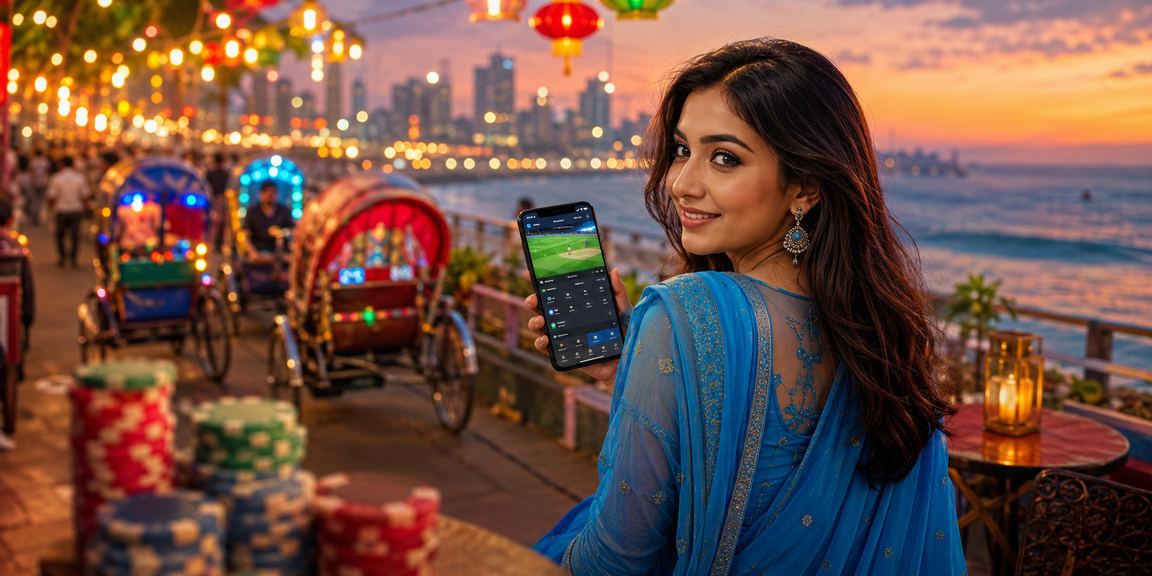
x2d

Enjoying the x2d mobile app in Dhaka

iOS Guide

How do I use x2d on iPhone?

IPhone users can save x2d directly to their home screen from Safari and use it just like a native app.

1
Open x2d.pro in Safari

Open Safari on your iPhone and type x2d.pro.

2
Tap the Share Button

Tap the Share icon at the bottom of the screen. A menu will appear.

3
Select "Add to Home Screen"

Select "Add to Home Screen" from the menu, then tap "Add".

4
Find the x2d icon on your home screen

The x2d icon will now appear on your home screen and work just like a native app.

TestFlight is also available for downloading the iOS app. For more details, Help Center View.

x2d

X2d Cricket Betting App in Bogura

App Benefits

What You Get with the x2d Mobile App

Everything the website offers — faster and easier on mobile. That's the x2d app promise.

Fastest Loading

Start betting within 2 seconds of opening the app. No lag — even on a 3G connection.

Push Notifications

Get instant notifications for match kicks-off, odds changes, and win/loss results.

Biometric login

Log in securely with your fingerprint or Face ID — no need to remember a password.

Live Streaming

Watch your favorite matches live in the app and place bets on the same screen.

One-Tap Payment

Deposit in one tap via bKash or Nagad. Your payment details are saved for next time.

Dark Mode

Bet comfortably at night with Dark Mode. The app automatically follows your system theme.

Live Score

Get real-time scores and stats for every match, right in the app.

End-to-End Security

Your account and transactions are protected with the highest level of encryption.

x2d

Playing roulette with the x2d app at a night market in Bangladesh

Why Use the App?

Mobile App vs. Browser – Which Is Better?

Honestly, x2d's web version is great too. But the app comes with a few extra perks that are hard to match in a browser.

Loading Speed
App: Fastest
Browser: Fast
Push Notifications
App: Available
Browser: Limited
Biometric login
App: Available
Browser: Not Required
Background Sync
App: Available
Browser: Not Required
Download Required
App: 28 MB
Browser: Not Required
All Features
App: Everything Included
Browser: All Features Available
System info

X2d App System Requirements

Subject Android iOS
Minimum OS Android 5.0 (Lollipop) IOS 12.0
File Size 28 MB 32 MB
RAM Required 1 GB or More 1 GB or More
Internet 3G or Wi-Fi 3G or Wi-Fi
Screen 4 inches or above IPhone 6 or newer
Biometric Fingerprint Face ID / Touch ID
Live Streaming Supported Supported

What permissions does the app require?

Notifications

For match and betting updates.

Internet

Required for live data and payments.

Biometric

For fast and secure login.

Camera (Optional)

For KYC verification only.

x2d

X2d Mobile Casino in Dhaka

Learn more

About the x2d Mobile App

Is the x2d app safe?

Many people wonder whether downloading an APK from outside the Play Store is safe. With x2d, the answer is yes. Every APK release is reviewed by third-party security experts before it goes live. The file is digitally signed, so any tampering is detected immediately.

Does the x2d App Work on a Slow Internet Connection?

Yes, the x2d app is built with Bangladesh's network conditions in mind. It runs smoothly on a 3G connection — betting and payments work without a hitch on 3G, though a stronger connection is recommended for live streaming.

How Do App Updates Work?

When a new version is available, you'll receive an automatic update notification upon opening the Android app. Simply tap "Update" to download and install the latest APK. On iOS, automatic updates are typically enabled by default.

What should I do if I lose my device?

If your phone is lost or stolen, contact x2d Support immediately. Our team will temporarily lock your account. A second-level verification (OTP) will be required when logging in from a new device.

Can I use the same account on multiple devices?

Yes, you can use the same x2d account across the mobile app, tablet, and browser simultaneously. However, active sessions across multiple devices at once are limited for security purposes.

Fast Download

Free Download
No Registration Fee
Virus-Free File
User Ratings
4.8 / 5
★★★★★
500,000+ Downloads
"Betting has become so much easier with this app." – Rafiq, Dhaka
"I withdraw via bKash even from the night market." – Sumaiya, Chattogram
General questions

Have questions about the download?

Answers to the most frequently asked questions about downloading and installing the x2d app.

This is normal. To install an APK from outside the Google Play Store, you need to enable the option in Android first. Go to Settings → Security → Unknown Sources and turn it on. Alternatively, tapping the APK file will prompt your phone to show an "Allow from this source" option — just tap Allow.

Yes, the x2d app is completely free to download and install — no payment gateway fees or hidden charges. You only need to add funds to your x2d wallet to participate in Sports Betting or casino games.

The x2d app runs on any phone with Android 5.0 (Lollipop) or later. If your device is running an older version, simply open x2d.pro in your mobile browser — you'll have access to all the same features.

For any issues with downloading or installation, contact our Help Center. Our 24/7 live chat support team is available in Bengali and typically responds within 2 minutes.

Download the x2d App Now!

Get Bangladesh's best betting experience packed into a lightweight 28 MB app.

বাংলা